Vibe Coding Agent Guide: Sub-Agents, Teams, and Custom Agents
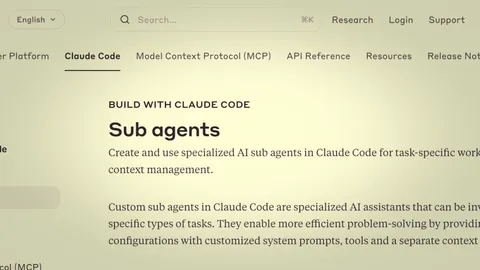
This guide covers how to use agents in vibe coding. It explains sub-agent concepts and usage, defining custom agents with AGENTS.md, and splitting complex tasks with agent teams, all with a practical focus.
When using vibe coding tools, there comes a point where a single AI can't handle everything. You might need to modify code while simultaneously exploring other files, fix server and client code at the same time, or preserve existing code safely during a large refactoring.
This is where agents come in. An agent is a specialized AI instance that operates separately from the main AI, with its own independent context to perform specific tasks. Both Claude Code and Codex support agents, and using them effectively lets you handle complex work much more efficiently.
What Are Agents
An agent is an independent AI instance that operates separately from the main AI. If the main AI is the commanding officer, agents are soldiers assigned to specific missions.
Why agents are needed:• Context protection: Perform separate work without polluting the main conversation's context. For example, exploring a large codebase fills up context quickly, but delegating exploration to an agent keeps the main context clean.
• Parallel processing: Multiple agents can perform different tasks simultaneously. One agent modifies server code while another modifies client code.
• Role separation: Dividing roles into exploration-only, code-modification-only, review-only, etc. lets each agent focus on their specialty.
Currently, vibe coding tools offer agents in two main forms: sub-agents (one-way, task-based) and agent teams (two-way, collaboration-based).
Sub-Agents
Sub-agents are disposable agents that the main AI creates for specific tasks. In Claude Code, they work through the Task tool, and Codex operates similarly.
How it works:1. Main AI sends a prompt (instruction) to the sub-agent
2. Sub-agent performs work in an independent context
3. When finished, reports results back to the main AI
4. Sub-agent terminates
The key point is the one-way structure. Main → sub sends instructions, sub → main reports results. Sub-agents can't talk to each other directly or ask the main AI questions mid-task.
Built-in sub-agent types:• Explore: Dedicated to codebase exploration. Used for understanding file structure, finding specific functions, analyzing code flow. Read-only—no modifications allowed.
• Plan: Dedicated to planning. Designs implementation approaches and creates step-by-step plans. Can read code but doesn't modify.
# Example of main AI using a sub-agent

Main AI: "Find where the authentication logic is in this project"
  └─ Creates Explore sub-agent
     ├─ Explores src/ directory
     ├─ Searches for auth-related files
     └─ Reports: "Authentication logic is in src/auth/login.ts"

Main AI: Proceeds with code modification based on the report
Sub-agents are lightweight and fast. They manage context separately so the main conversation stays clean, and they clean up automatically when done. Ideal for simple exploration or independent tasks.
Creating Custom Agents with AGENTS.md
Beyond built-in types (Explore, Plan), you can define your own agents. Specify the agent's name, model, allowed tools, and role in an AGENTS.md file.
File locations:• Per-project: .claude/agents/AgentName.md
• Global (all projects): ~/.claude/agents/AgentName.md
File structure:
name: Worker
model: opus
allowed_tools:
  - Read
  - Write
  - Edit
  - Glob
  - Grep
  - Bash
permission_mode: default

# Worker

## Role
- Code and data modification only
- No commits, builds, or deployments

## Rules
- Only modify instructed files
- Report results after modification
The YAML front matter is the agent's configuration, and the markdown body below is the system prompt delivered to the agent.
Key settings:• name: Agent name. Called by this name from the Task tool.
• model: Model to use. opus, sonnet, haiku, etc. Choosing appropriate models by role saves costs.
• allowed_tools: List of tools this agent can use. For example, an exploration-only agent might allow only Read, Glob, Grep while excluding Write and Edit.
• permission_mode: Permission mode. default asks for confirmation on risky operations, bypassPermissions auto-approves everything.
For Codex:Codex allows similar agent definitions in the [agents] section of the codex.md file. The syntax differs but the concept is the same.
Well-defined custom agents help standardize repetitive workflows. For example, embedding rules like "Worker only modifies code and never commits" or "Reviewer only reads code and never modifies" in agent definitions prevents accidental role violations.
Agent Teams
Agent teams are an experimental feature in Claude Code—a multi-agent system where multiple agents are active simultaneously and communicate bidirectionally. Unlike the sub-agent's "instruct → report" one-way structure, team agents can exchange messages and collaborate with each other.
Team structure:
Team Lead ─┬─ Explorer     (codebase exploration)
           ├─ Worker A     (client code modification)
           ├─ Worker B     (server code modification)
           ├─ Reviewer     (code review)
           └─ Utility      (build/commit/deploy)
Key features:• Bidirectional communication: Team members can send messages directly to each other. Worker A can directly ask Worker B "What's the API response format?"
• Shared task list: The entire team shares a task list so everyone knows who's working on what.
• Mailbox messaging: Sending a message to an agent delivers it to their mailbox.
• Delegate mode: A mode the team lead toggles with Shift+Tab. Optimized for the lead to delegate work to team members rather than doing it directly.
Team lead's role:The team lead doesn't directly modify code or explore files. Instead, they distribute work, coordinate progress, and serve as the hub for communicating with the user—acting like a project manager.
Team workflow example:
1. User: "Add 2FA to the login feature"
2. Lead → Explorer: "Map out the current auth code structure"
3. Explorer → Lead: "Login logic is in src/auth/"
4. Lead → Worker A: "Add 2FA UI to client"
5. Lead → Worker B: "Add 2FA verification logic to server"
6. Worker A ↔ Worker B: "What should we name the OTP verification API endpoint?"
7. Workers → Lead: "Implementation complete"
8. Lead → User: "2FA feature added. Changed files are ..."
Sub-Agents vs Agent Teams
The two approaches serve different purposes. Let's compare which is suitable for what.
| Category | Sub-Agents | Agent Teams |
|----------|-----------|-------------|
| Communication | One-way (main→sub→report) | Two-way (free communication between members) |
| Lifetime | Terminates on completion | Persists during session |
| Context | Independent (separate from main) | Independent (each member separate) |
| Cost | Low (created only when needed) | High (multiple agents maintained simultaneously) |
| Setup complexity | Low (just pass a prompt) | High (team composition, role definitions needed) |
| Suitable tasks | Independent exploration, simple analysis | Complex collaboration, simultaneous multi-file edits |
| Status | Stable (official feature) | Experimental (beta) |
Use sub-agents when:• Exploring a codebase to retrieve information only
• Processing independent tasks in parallel (tasks with no dependencies)
• Performing auxiliary work while protecting the main context
Use agent teams when:• Modifying client + server simultaneously
• Multiple roles (development, review, deployment) need to collaborate
• Processing multiple tasks sequentially over a long period
Practical Tips
Here are practical tips for effective agent usage.
Sub-agent tips:• Write specific prompts. "Look at the code" yields far worse results than "Find the JWT token verification logic in the src/auth/ directory and tell me the function name and file path."
• Use Explore sub-agents when search results would be extensive—this prevents main context pollution since only a summary returns to the main conversation.
• Independent exploration tasks can be parallelized by spawning multiple sub-agents simultaneously.
Agent team tips:• The team lead should focus on coordination, not direct work. When the lead starts modifying files directly, the coordination role weakens.
• Multiple Workers modifying the same file simultaneously causes conflicts. Divide work by file or coordinate sequential modifications.
• The Utility agent (build/commit handler) should operate only after all Workers finish.
Common mistakes:• Excessive team usage: Setting up a team for simple tasks just adds overhead. You don't need a team to modify a single file.
• Tasks too large: Giving a sub-agent a massive task like "refactor the entire project" results in context overflow or poor results. Break it into small units.
• Ignoring role boundaries: If a Worker also commits, or a Reviewer also modifies code, confusion follows. Define and enforce clear role boundaries for each agent.
• Model waste on custom agents: Using top-tier models for exploration or simple tasks just increases costs. Assign appropriate models by role—Sonnet for Explorer, Opus for Worker.
Leveling Up Vibe Coding Productivity with Agents
Agents are a core feature that takes vibe coding productivity to the next level. Use sub-agents to handle independent tasks while protecting context, define project-specific custom agents with AGENTS.md, and split complex work through agent team collaboration.
We recommend starting with sub-agents. Just delegating code exploration to the Explore type lets you immediately experience the benefit of keeping your main context clean. Once comfortable, define project-specific agents with AGENTS.md and scale up to agent teams when needed.